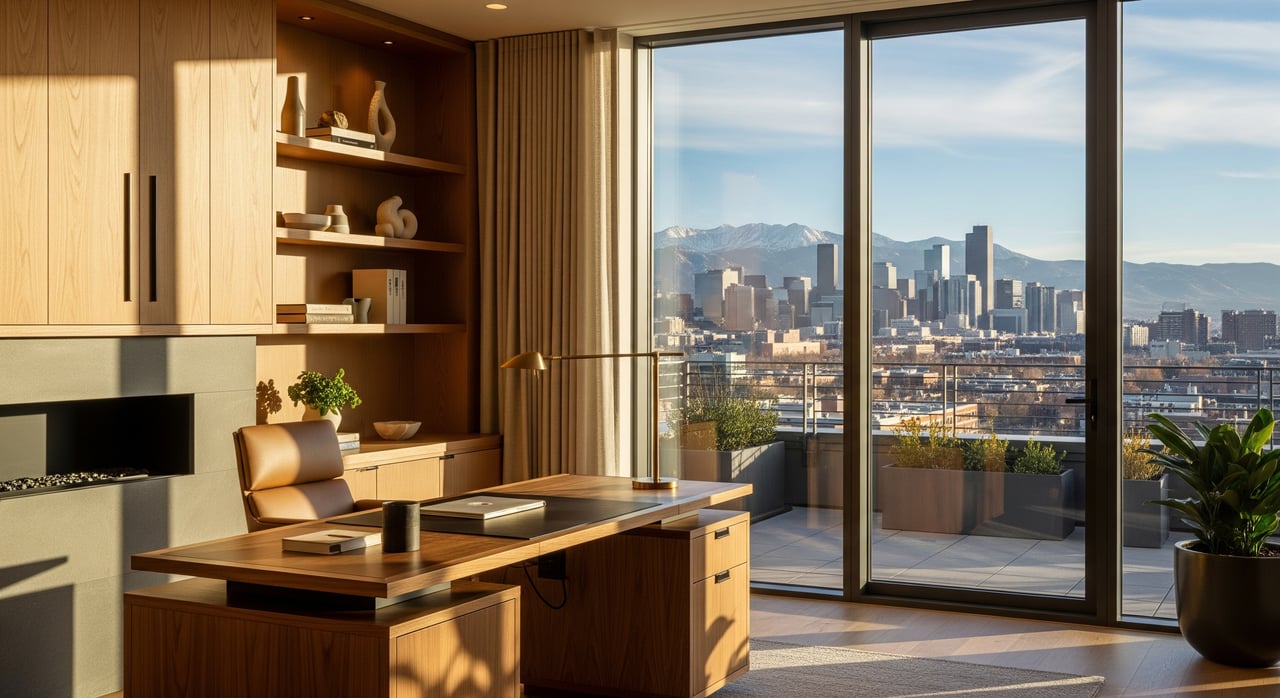
Working from home in Denver but your space is not pulling its weight? You are not alone. Buyers across the metro are still prioritizing dedicated or flexible office areas, and small upgrades can make your home stand out. In this guide, you will learn what Denver buyers look for, practical improvements at different budgets, and how to show your workspace so it photographs and lives well. Let’s dive in.
Why buyers want office-ready homes
Remote and hybrid work are here to stay, and recent surveys from national real estate groups and local brokerages continue to show strong interest in home offices. In Denver, buyers often ask about a quiet room, a usable nook, or a flex area that can double as an office. You do not always need a full remodel to meet that demand. Simple fixes in lighting, acoustics, connectivity, and storage can make a spare bedroom or corner feel like a professional workspace.
Denver’s climate adds unique needs. Strong sun creates glare and UV exposure, while some neighborhoods experience street, rail, or airport noise. Older homes may have fewer outlets, and basements need moisture and radon attention if you plan to work there. With a few targeted upgrades, you can solve these issues and create a space buyers love.
Light right for Mile High sun
Denver gets abundant sunshine, which is great for energy and mood but can be tough on screens and calls. Your goal is balanced, controllable light that looks good on video and feels comfortable all day.
- Start with smart LED bulbs. Tunable white bulbs let you shift cooler for focus and warmer for late afternoons. Expect about $10 to $50 per bulb.
- Add an adjustable task lamp with a high CRI. It helps you look natural on video and reduces eye strain. Plan for $30 to $150.
- Install dimmable overhead LEDs or a retrofit kit. Layered lighting keeps your camera exposure steady. Typical installed costs run $100 to $400.
- Control glare with window treatments. Top-down-bottom-up shades, roller shades, or cellular shades manage brightness and add insulation. Consider UV-blocking or low-E window film in rooms with strong south or west light to help prevent fading.
- Bring daylight into interior rooms with solar tubes. They cost less and are simpler than skylights, often $600 to $1,500 installed.
Tip: If you stage your office for photos, set blinds for soft, indirect light. Avoid wide-open blinds during midday when glare is strongest.
Quieter rooms, better calls
Noise is a real factor for Denver buyers, especially near I-25, I-70, RTD light rail, busy corridors, and nightlife areas like Downtown, LoDo, and Capitol Hill. You can tame echo and background noise without spending a lot.
- Seal gaps first. Weatherstripping and door sweeps reduce street noise leaking through cracks. Budget $10 to $50.
- Add soft surfaces. Area rugs and thick curtains absorb echo and dampen outside sound. Plan for $100 to $600 depending on size.
- Use bookshelves as sound buffers. Filled shelves act as absorbers and diffusers. Place one along a shared wall if you can.
- Hang acoustic panels. Fabric-wrapped panels are affordable and effective in small offices. Expect $50 to $300 for a basic setup.
- Reposition your desk. Move it away from shared or exterior walls and add plants or shelving as a soft barrier.
If you need a bigger impact, consider a solid-core interior door, or window upgrades to double-pane or laminated glass. Window replacement can range from $500 to $1,500 or more per window. Start with simple fixes and only scale up if needed.
Reliable internet and power
Nothing kills productivity faster than a frozen video call. Strong connectivity and practical power access are must-haves for remote work.
- Add a wired Ethernet drop if possible. It is the gold standard for stable calls. Professional runs often cost $100 to $600 depending on access.
- Upgrade your Wi‑Fi. A mesh system fills in dead zones and supports multiple users. Budget $150 to $400.
- Improve outlets and charging. Surge-protected power strips, USB-enabled outlets, and smart cable management keep your space tidy. Plan for $50 to $200 installed for extra outlets.
If your neighborhood has limited broadband options, share measured upload and download speeds when you list. Buyers appreciate transparency when evaluating a home office setup.
Smart storage that feels built-in
A clean backdrop reads as calm and professional, both in person and in photos. You can get a built-in look without a full custom project.
- Try a closet office. Converting a closet into a compact workstation with a desktop, shelves, and outlets is cost-effective. Basic setups often range from $200 to $1,000.
- Add floating shelves or wall cabinets. Freeing floor space makes small rooms feel larger and more functional.
- Use attractive organizers. Matching file boxes, a small credenza, and cable trays hide clutter.
- Consider built-ins where it counts. DIY kits or professionally installed bookcases can run $500 to $3,000 or more, but the perceived value is high.
If you plan to convert a bedroom, keep flexibility in mind. Choose furniture you can remove easily so the room can stage as a bedroom again if needed.
Flexible space ideas that sell
Many buyers want rooms that do more than one job. Flex-solutions can create separation for focus while keeping options open for guests or hobbies.
- Murphy or wall-folding desks. These save floor space, especially in smaller bedrooms or nooks. Expect $100 to $1,500 depending on style.
- Pocket or sliding barn doors. Create visual separation without full construction. Useful in open-plan areas.
- Room dividers and screens. Portable and quick to set up for showings and daily use.
- Finished garage or basement offices. These can add meaningful usable space if you address insulation, HVAC, and, for basements, moisture and radon. Mini-split HVAC systems often run $3,000 to $8,000 installed. Full conversions typically start around $10,000 and go up with scope.
Note: Many Denver homeowners pursue garage and basement conversions. These often need permits and inspections for electrical, insulation, and occupancy. Plan ahead to keep your project compliant and attractive to buyers.
Permits, timelines, and resale
Small cosmetic upgrades like paint, rugs, curtains, and shelving usually do not need permits and can be wrapped up in days or weeks. Electrical work, HVAC changes, window additions, and structural changes generally require permits and licensed pros in Denver. Keep records and disclose permit history. It builds buyer confidence, especially for electrical and HVAC.
If you plan a conversion, allow time for planning, permitting, and inspections. For basements, test for radon and address moisture control. In Colorado, radon is common and buyers expect finished spaces to be safe and comfortable.
Staging tips that shine
How you present a workspace can be as important as the upgrade itself. A few staging moves help buyers instantly picture their routine.
- Set up a real workstation. A tidy desk, quality task lamp, and visible outlets signal function.
- Show the light. Note the window orientation in marketing remarks, such as “north-facing for consistent daylight,” or highlight glare control in bright rooms.
- Add a speed note. If your internet speeds are strong, mention them in the listing or captions.
- Define zones. In open plans, show a staged work corner using a rug, divider, or shelving.
Great photos matter. Capture a wide shot of the workspace, then a closer shot of the desk area with soft natural light. Keep cables and clutter out of view.
Quick-start checklist
- Swap in smart LEDs and add an adjustable task lamp.
- Install weatherstripping and a door sweep; place a rug and curtains.
- Add a mesh Wi‑Fi system or a wired Ethernet drop.
- Create a closet office or add floating shelves to clear surfaces.
- Use a portable divider or sliding door for separation in open areas.
- For basements, plan moisture control and radon testing before finishing.
Your next step
If you are selling soon, prioritize visible, low-cost changes that help buyers imagine a full workday at home. If you plan to stay a while, consider higher-impact projects like a closet office, built-ins, or a mini-split for a garage or bonus room. The right mix can boost daily comfort and your home’s appeal when it is time to list.
Ready to tailor a plan to your home and neighborhood? Reach out to Next Chapter Partners for a quick consult. We can help you prioritize upgrades, connect you with trusted local vendors, and stage your office so it shines in photos and in person.
FAQs
What are easy first steps for a better Denver home office?
- Start with smart LED bulbs, an adjustable task lamp, a rug, thick curtains, basic weatherstripping, and a few fabric-wrapped acoustic panels to reduce echo.
How do I handle glare from Denver’s strong sun?
- Use top-down shades or roller shades, add UV or low-E window film on bright exposures, and layer dimmable overhead lighting with a focused task lamp.
How can I reduce noise near highways or light rail?
- Seal gaps around doors and windows, add rugs and curtains, position bookshelves as buffers, and consider solid-core doors or double-pane windows if needed.
Do I need permits to convert a garage or basement into an office?
- Usually yes for electrical, HVAC, insulation, windows, or other habitability changes; check Denver’s permit requirements and use licensed professionals.
Is wired Ethernet worth it if I already have Wi‑Fi?
- Wired is most reliable for video calls, but a mesh Wi‑Fi system is a strong, budget-friendly upgrade for most households.
Will finishing a basement or garage help resale in Denver?
- It can when completed to code with moisture control and radon mitigation; documented permit history and quality finishes increase buyer confidence.
